
Forex order types decide how and when your trade enters and leaves the market. The good news is they’re the same whether you trade forex, futures, shares or CFDs, and on every platform, however different the screens look. In this guide I’ll explain the bid and ask, market orders, the four pending orders, and when I’d use each one.
Bid and ask
Every price you see on a trading platform is really two prices.
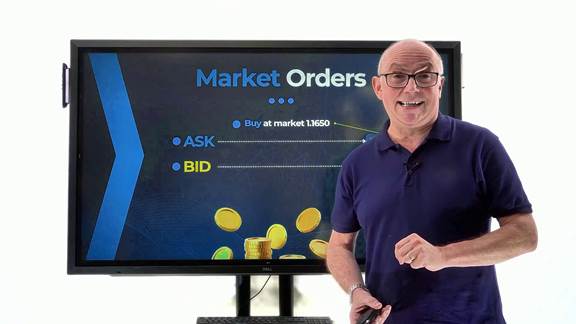
- The bid is the price buyers are offering. Think of an auction house, with bidders raising their paddles because they want to buy. Buyers sit on the bid, and when you sell at the market, you sell at the bid.
- The ask (sometimes called the offer) is the price sellers want. When you buy at the market, you buy at the ask.
The ask is always a little higher than the bid, and the gap between them is the spread: your cost of getting in and out. If EUR/USD is 1.1648 bid and 1.1650 ask, the spread is 2 pips.
You buy when you’re bullish and expect the price to rise. You sell when you’re bearish and expect it to fall. In the old days most people thought you had to buy first and sell later. With CFDs and futures you can sell first, in the hope the price falls, then buy it back lower to lock in a profit.
Market orders and pending orders
There are really only two kinds of order.
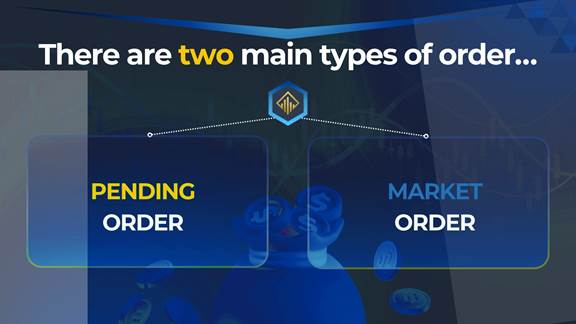
A market order is instant. The moment you click, it goes to the market and you expect to be filled at the price on your screen: the ask if you’re buying, the bid if you’re selling.
A pending order waits. You set the price you want, and the order sits on your platform until the market trades there. Only then is it sent to the market.
With a market order you get speed but not a guaranteed price. If the market moves in the split second between your click and your fill, you can be filled at a worse price than you saw. That’s called slippage. It’s most common when liquidity is thin or prices jump: around big news releases such as US non-farm payrolls, and at the daily rollover. If you can, avoid clicking market orders at those moments, because what you see on screen isn’t necessarily what you’ll get.
The four pending orders
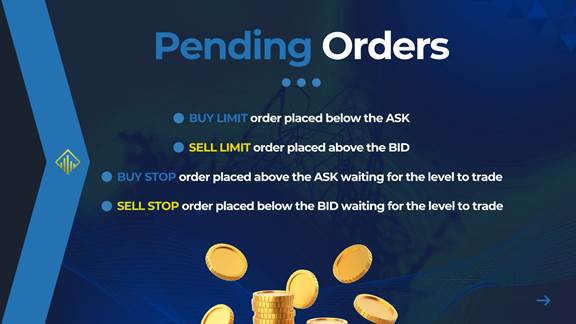
Pending orders come in two families. Limit orders wait for a better price than now. Stop orders wait for the price to break through a level before getting you in.
| Order | Where it sits | What you’re waiting for | Typical use |
| Buy limit | Below the current price | The price to dip so you can buy cheaper | Buying a pullback into support |
| Sell limit | Above the current price | The price to rise so you can sell higher | Selling a rally into resistance, or taking profit on a long |
| Buy stop | Above the current price | The price to break up through a level | Breakout trades through resistance |
| Sell stop | Below the current price | The price to break down through a level | Breakdown trades through support, or a stop loss on a long |
Stop orders can look odd at first. Why wait to buy higher when you could buy now? Because a breakout trader only wants in once the market has proved itself. A support zone that has held many times may be where big institutions are buying. If it finally breaks, it can open the trap door and bring a wave of sellers in, and a sell stop just below gets you on board.
Stop orders have a second job: protecting you. A sell stop below your buy, or a buy stop above your sell, takes you out of a losing trade at a level you chose in advance. That’s the stop loss, and it’s so important I’ve given it its own lesson.
A worked example
Say the market is 1.1648 bid and 1.1650 ask.
- Buy limit at 1.1620: you’ll buy only if the price drops 28 pips to 1.1620.
- Sell limit at 1.1680: you’ll sell only if the price rises to 1.1680. If you’d bought at 1.1650, this is also a way to lock in 30 pips of profit.
- Buy stop at 1.1665: you’ll buy only if the price breaks up to 1.1665.
- Sell stop at 1.1620: you’ll sell only if the price breaks down through 1.1620, perhaps a support level that has held before.
Placing orders on a platform
Every platform looks a little different, but the order ticket always asks the same things. In the lesson I use DXtrade, and it works like this:
- Open the ticket by clicking Buy or Sell. You can switch between them on the ticket.
- Set the size in lots, for example 0.10.
- Choose the order type from the drop-down: market, limit or stop. Some platforms also offer OCO, one cancels the other: two orders linked so that when one fills, the other is cancelled.
- Add a stop loss and a take profit. On most platforms you can drag them on the chart to where you want them, before or after the order fills.
- Send the order. A market order fills straight away. A pending order appears on the chart as a line waiting for the price to reach it.
Get into the habit of adding the stop loss every single time, as part of placing the trade, not as an afterthought.
Order types and prop firm trading
On a prop firm account, the right order type helps you stay inside the rules.
- Pending orders give you control. You decide your price in advance, and you don’t need to sit watching the screen to get it.
- Slippage counts against your limits. A market order slipped by a few pips on a news spike is a real loss on the account. Many firms also restrict trading around high-impact news, so check the rules before placing orders near a release.
- Every trade needs a stop. Some firms require a stop loss on every position. Even where they don’t, it’s the only thing standing between one bad trade and your daily loss limit.
The rules differ from firm to firm, which is why we compare them in detail at Prop Trader Central.
Frequently asked questions
What is the difference between a market order and a limit order? A market order fills straight away at the current price. A limit order waits until the market reaches a better price that you set.
What is the difference between a limit order and a stop order? A limit order waits for a better price than now; a stop order waits for the price to break through a level, usually to join a move or to exit a losing trade.
What is slippage? Being filled at a different price from the one you saw when you placed a market order. It’s most common around big news and at the daily rollover.
What is the bid and ask in forex? The bid is the price you can sell at; the ask is the price you can buy at. The gap between them is the spread.
What does OCO mean? One cancels the other: two linked orders where filling one cancels the other.
Watch the lesson
This article goes with lesson 6 of the Prop Trader Central Masterclass, Understanding Order Types. Next up is the stop loss, possibly the most important order you’ll ever use. https://youtu.be/KaPAU2LcQaQ
Trading forex and CFDs involves a high level of risk and may not be suitable for everyone. Most retail accounts lose money when trading CFDs. This article is for educational purposes only and is not financial advice.